Songwriting tools

AI Music Prompt Generator

Turn a scene in your head into a song brief and a style prompt. Edit the words, copy them, or carry them into Text to Song.

  • Editable song and style prompts
  • No sign-in needed
01Describe the scene
Try an idea
02Choose the sound
Vocal direction

Prompts are composed in your browser.

Song and style

What goes in each AI Music Prompt Generator field?

Imagine a songwriter and a drummer reading the same note: “The last bus crosses the river as a passenger falls asleep.” The songwriter has a scene to work with. The drummer still needs a cue. In the AI Music Prompt Generator, put the bus ride in Song prompt. In Style prompt, try “Brush the snare softly until the bus stops, then let the piano play alone.”

Read your two AI Music Prompt Generator fields aloud. Could someone film the first one? Could a musician play the second? If both describe a quiet night, trade one mention of quiet for a sound: the hiss of the brushes as the doors shut.

Starting points

Try three different song ideas

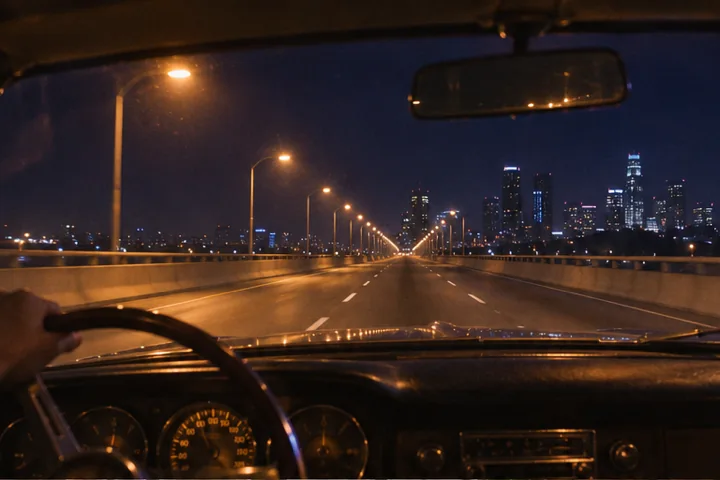
An empty highway seen through a windshield under amber streetlights.

Night drive

In the AI Music Prompt Generator, Night drive puts you behind the wheel as the city lights thin. Build the example and read the style line: analog arpeggios, pulsing bass and gated snare hits. The Reflective setting leaves the verse spacious. Where should the last streetlight disappear?

Try this ending in the AI Music Prompt Generator song field: “At the last light, she turns the radio down.” Leave the snare in place. In the AI Music Prompt Generator style field, give the synth four climbing notes, one empty beat and a low answer. Let that beat hang.
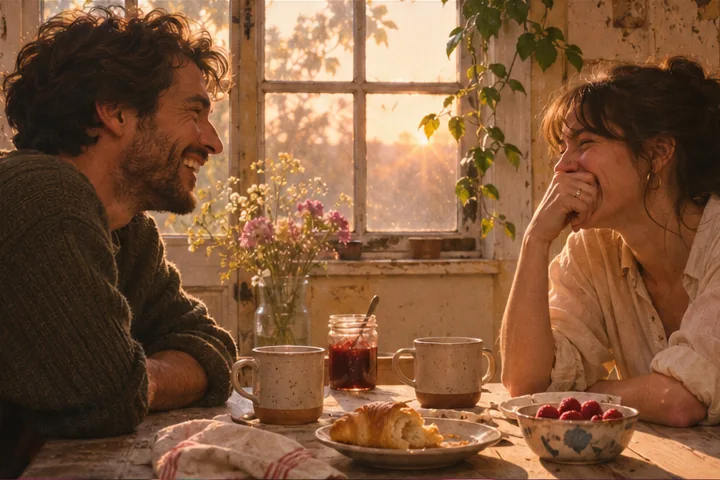
Two friends sharing breakfast beside a sunlit kitchen window.

First light

First light pairs two old friends at breakfast with a soft lead vocal. Load it in the AI Music Prompt Generator and build the draft. Acoustic supplies fingerpicked guitar, soft piano and brushed percussion. Pick the first thing either friend notices: a chipped blue mug or coffee poured just the way they remember it.

Give that detail a job in the AI Music Prompt Generator song field. One friend spots the mug and laughs. For the AI Music Prompt Generator style field, try “Let the piano answer the laugh with two high notes.” Save the harmony for the second voice.
A coin held beside a red arcade joystick and a glowing game screen.

Arcade run

Arcade run gives the player one coin and a score to beat. Build it in the AI Music Prompt Generator. Indie pop sets clean electric guitar against melodic bass and a dry drum kit. Try singing a three-syllable countdown over that beat. Leave one beat free for the guitar to answer.

For a game clip with commentary, switch the AI Music Prompt Generator to Instrumental and build again. Use the repeating lead motif for each point. In the AI Music Prompt Generator style field, specify where it stops: “Cut the guitar the instant the last coin drops.” The narrator gets the silence that follows.
Writing guide

How to shape a music prompt

  1. 01

    Set the pace in the AI Music Prompt Generator

    Play the scene in your head and tap along. Night drive starts at 96 BPM in the AI Music Prompt Generator. A cut to an empty highway can feel slower even at that tempo: hold each bass note for two beats while the snare keeps time. Put that cue next to the tempo in your AI Music Prompt Generator draft.

  2. 02

    How does mood change an AI Music Prompt Generator draft?

    Tension can be almost silent. Choose Tense in the AI Music Prompt Generator and picture someone waiting for a key to turn. Try “Repeat two piano notes while the gaps between drum hits grow shorter.” Read the AI Music Prompt Generator draft from the beginning. Which beat would you choose for the click of the lock?

  3. 03

    Choosing a voice in the AI Music Prompt Generator

    When someone speaks over the track, choose Instrumental in the AI Music Prompt Generator. Read one line of narration aloud. Where do you take a breath? In the AI Music Prompt Generator style field, put a single bell in that gap and let the next spoken line come in over its fading sound.

Arrangement

Refine the sound

Instrument palette

Lo-fi pairs tape-worn keys with round bass and a loose break. Cinematic starts from low strings and felt piano. To score footsteps in an empty hall, try each palette in the AI Music Prompt Generator. In the Lo-fi draft, leave the drum break out for four bars. In the Cinematic draft, let a single low string ring between steps.

Dynamics

For a hopeful ending, try building the same scene with Hopeful in the AI Music Prompt Generator. Keep the waiting figure and the closed door. Let a high harmony enter on the first word sung from the other side. Compare the two AI Music Prompt Generator refrains: one keeps you waiting, the other lets you breathe.

Vocal delivery

Soft vocal in the AI Music Prompt Generator works well for a private thought. Try “Sing the first line as if the passenger beside you is asleep.” Bold vocal suggests a hook the whole room can join. Give that AI Music Prompt Generator draft a different cue: “Hold the last vowel long enough for the crowd to answer.”

Editing and export

Compare two AI Music Prompt Generator drafts

Copy your first AI Music Prompt Generator draft into a note. Keep the scene and genre, then change just the mood. Read the last line of each version over the same imagined shot. Circle the instruction that would change when a musician comes in. That line is worth keeping for the next AI Music Prompt Generator draft.

Choosing another example loads new inputs. Select Build prompts to apply them. If you have edited an output, the AI Music Prompt Generator asks before replacing your work. Choose Keep my edits to copy a line first. For a fresh AI Music Prompt Generator draft, build again and choose Replace draft.

Use Copy both in the AI Music Prompt Generator when sending a brief to a bandmate. The song and style descriptions are separated. A singer can mark the word to hold while a drummer marks the bar to enter. To share just the arrangement, use Copy beside the AI Music Prompt Generator style field.

Use in Text to Song carries your editable AI Music Prompt Generator draft into the composing workspace. If a saved draft is waiting there, review it before choosing which to keep. Read both prompts together before you choose to generate the track.

Text to Song

Fit an AI Music Prompt Generator draft into Text to Song

Text to Song has a combined 500-character budget for the two fields, including the text that joins them. The AI Music Prompt Generator shows how many characters to trim. Start where two words ask for the same thing. In an AI Music Prompt Generator draft for a family duet, “tender, heartfelt, emotional” can become one cue for the singers.

Try “Fingerpick the verse. Bring the sisters in together on the word home.” One line gives both singers their cue. Copy the longer AI Music Prompt Generator version if a bandmate needs it, then shorten the style field. Check the counter in the AI Music Prompt Generator before opening Text to Song.


FAQ

AI Music Prompt Generator FAQ

Give the song prompt a subject, scene or emotional arc. Use the style prompt for what the recording should sound like: genre, tempo, instruments and vocal delivery. Keeping them separate makes it easier to change the arrangement without losing the story.